What is PDF to Web Form?
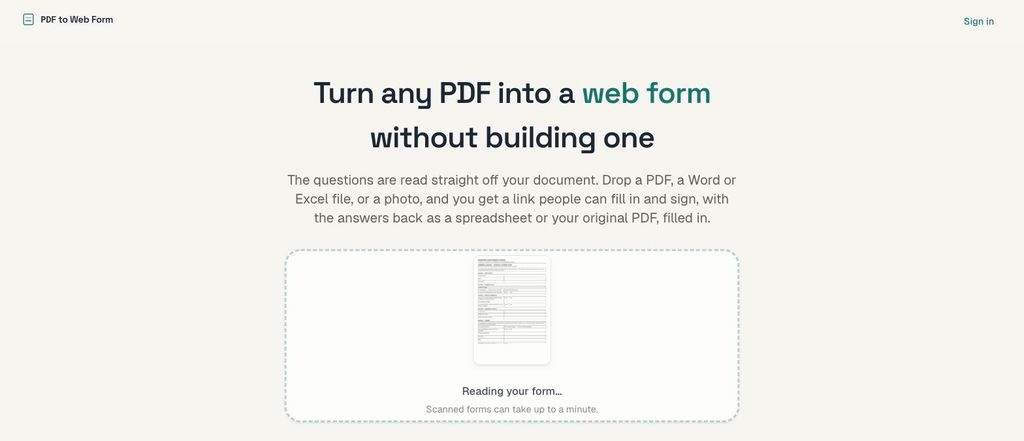
Reads the questions straight off a form you already use and turns it into a link people can fill in and sign online. You drop in a PDF, a Word or Excel file, or a photo of a printed page, and the answers come back as a spreadsheet and as your original document with the responses written onto it. Scans and phone photos work, not only digital PDFs.
It is aimed at the paper forms organisations still run on — registration, consent, applications, permits, inspections. For a school, that covers the sort of documents an office retypes by hand after a parent or member of staff has filled them in. There is nothing to build: the tool reads a blank document once to work out what the fields are, then places answers back onto the page by measuring it.
A free plan runs one form of up to five pages and takes 100 responses a month with no account needed. Paid plans raise the number of forms collecting at once, the monthly response limits and the page count, add file attachments and extra seats, and let you remove or replace the branding with your own domain. Collected responses are not deleted to make room, and the answers you gather are not used to train anything.


 Company Company | Business Name: PDF to Web Form HQ Location: United States Founded: 2026 |
| Age Range | 19+ |
 Features Features | Reads Fields From Your DocumentPdf, Word, Excel Or PhotoFill And Sign OnlineAnswers As SpreadsheetResponses Onto Original DocumentOwn Domain And BrandingFree Plan, No Account |
 Languages Languages | English |
 Accessibility Accessibility | Robust features |
 Policies Policies |  Terms of ServicePrivacy Policy Terms of ServicePrivacy Policy |
 Requirements Requirements | Internet - Low BandwidthDesktop - MacDesktop - WindowsDesktop - ChromebookDesktop - LinuxMobile - iPhoneMobile - iPadMobile - Android Accepts PDF, Word, Excel or photo files, up to 10 MB on the free tier. The tool can read scans and phone photos as well as digital PDFs. Forms are accessed via a shareable link, and paid plans allow use of the customer's own domain. Responses can be exported as a spreadsheet or returned as the original document filled in. |
 Set Up Set Up | Setup is the upload. There is nothing to build: the questions are read off the document you send, and what comes back is a link you can share. The free plan needs no account. A 14-day trial of the Professional plan asks for a card and charges nothing until it ends. |
 Training Training | DocumentationVideos No training programme is offered, because using the product is one step: you upload a document and get a link back. Questions are answered by email at hello@pdftowebform.com. |
 Support Support | Email Support is by email, at hello@pdftowebform.com or through the contact page on the site. Messages are read and answered by a person. There is no published response-time commitment. |
| Home Learning | Parent Access Anyone can create the account. Parents fill in and sign the form from the link they are sent. There is no account to make, no app to install and no sign-in, and the form works on a phone. |
AIAI usage This product uses AI. AI-powered features Reads the questions off your document Works out each answer's type, including dates, choices and signatures Writes a plain label for every field Answers collected are not used to train models Technology type Natural Language Processing Technology used to understand or generate human language (e.g. chatbots, language analysis, speech-to-text) Generative AI AI that creates new content such as text, images, or video (e.g. AI-generated quizzes, lesson plans, dialogue simulations) Computer Vision AI that interprets visual information from images or video (e.g. scanning student work, facial recognition, object tracking)  Machine Learning Algorithms that learn from data to make predictions or decisions (e.g. adaptive learning, automated feedback) Robotics AI embedded in physical systems (e.g. programmable learning bots, interactive classroom robots) High-risk use settings Access Determination Used to make decisions about access to, or admission into, an educational programme (e.g. automated admissions systems) Behavioural Monitoring or Detection Used to analyse behaviour, emotions, or cognitive states (e.g. engagement tracking, emotion detection) Learner Evaluation Used to assess student performance or outcomes (e.g. grading, test scoring, proctoring, adaptive progression, academic placement) | |
PDF to Web Form PricingPricing Plans FreemiumFree TrialPaid Subscription Three plans can be bought directly, plus Enterprise by quote. Annual billing gives two months free. Free, $0 a month: one form collecting at a time, documents up to 5 pages, 100 responses a month, 1,000 responses kept, 1 seat, and our badge on the form. Starter, $29 a month or $290 a year: 25 forms collecting at once, documents up to 25 pages, 2,500 responses a month, 50,000 kept, 5 GB of file attachments, 3 seats, and no mention of us on the form. Professional, $99 a month or $990 a year: 100 forms collecting at once, documents up to 60 pages, 15,000 responses a month, 500,000 kept, 50 GB of attachments, your own domain, and 10 seats. Enterprise is quoted, and adds a signed data processing agreement and priority support. Converting documents is not charged per document, within fair use.  Optimised for a quick response Optimised for a quick response | |


Compare PDF to Web Form with...


PDF to Web Form Reviews
No reviews.
This product has not received any reviews yet. Be the first!