
What is netboard.me?
Netboard.me helps teachers organize learning materials into clear interactive lesson pages. Instead of sharing many separate links and files, educators can combine everything students need in one structured page.
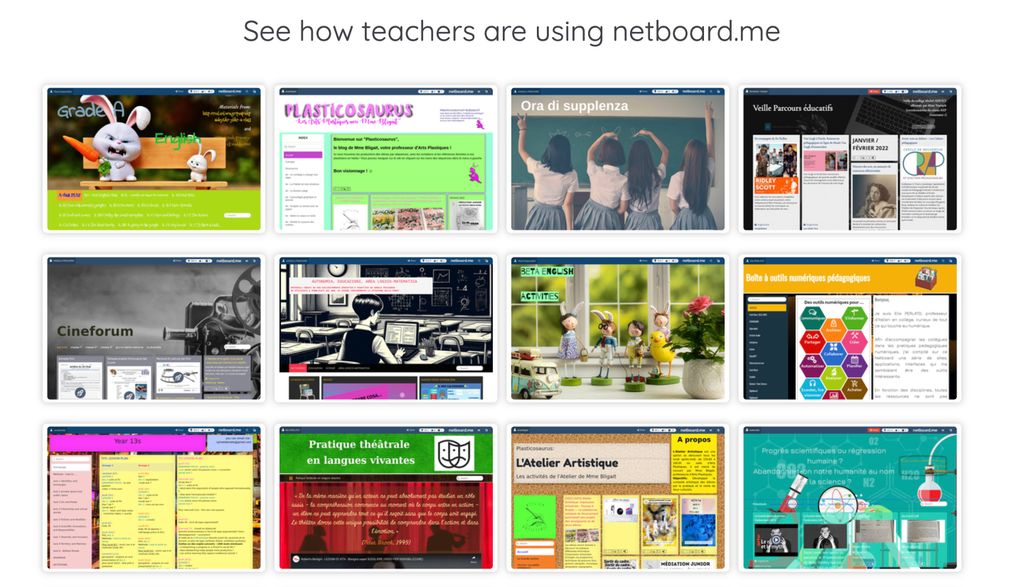
Pages can include links, videos, documents, images, quizzes, and learning games. Teachers can organize materials using tabs and sections, making lessons easier for students to follow and helping educators present resources in a clear format.
In schools, Netboard.me is often used for lesson pages, project work, and collaborative activities. Teachers can create and share materials with their classes, while students can collect resources and contribute to project pages.
The platform is simple to use and does not require technical skills. Students can join without email addresses, which simplifies classroom setup. Netboards can also be embedded into websites or integrated with learning platforms such as Moodle, Canvas, and Blackboard.
This flexibility makes Netboard.me useful for both classroom teaching and remote learning environments.


 Company Company | Business Name: Towermates OÜ HQ Location: Estonia Founded: 2018 |
| Age Range | 11-13, 14-16, 17-18, 19+ |
 Features Features | Digital Board CreationMultimedia SupportCustomizable LayoutsPrivacy ControlsQuizzesAiCollaborationLearning GamesBlended Learning |
 Languages Languages | English, French, Italian, German, Spanish; Castilian, Russian, Portuguese, Polish, Ukrainian, Swedish, Turkish |
 Accessibility Accessibility | Moderate features |
 Policies Policies |  Terms of ServicePrivacy PolicyGDPR Terms of ServicePrivacy PolicyGDPR |
 Requirements Requirements | Internet - Low BandwidthInternet - High BandwidthDesktop - MacDesktop - WindowsDesktop - ChromebookDesktop - LinuxMobile - iPhoneMobile - iPadMobile - WindowsMobile - Android Netboard.me requires a modern web browser and an internet connection to function properly. |
 Set Up Set Up | Setting up and starting to use netboard.me is quick and can be done in a matter of minutes. |
 Training Training | DocumentationVideos Netboard.me offers online tutorials and guides to help users get started with creating and managing their digital boards. |
 Support Support | EmailFAQs/Forum Netboard.me provides support through online Help. For more specific issues, users can contact the support team via the platform's contact form or by email. The support team is dedicated to helping users resolve any technical difficulties they may encounter. |
| Home Learning | Parent Access Anyone can create the account. While Netboard.me does not offer dedicated parent accounts, teachers and students can easily share educational pages with parents for viewing. |
AIAI usage This product uses AI. AI-powered features Automated Quiz Generation AI Assistant for Student Inquiries Technology type Natural Language Processing Technology used to understand or generate human language (e.g. chatbots, language analysis, speech-to-text) Generative AI AI that creates new content such as text, images, or video (e.g. AI-generated quizzes, lesson plans, dialogue simulations)  Computer Vision AI that interprets visual information from images or video (e.g. scanning student work, facial recognition, object tracking) Machine Learning Algorithms that learn from data to make predictions or decisions (e.g. adaptive learning, automated feedback) Robotics AI embedded in physical systems (e.g. programmable learning bots, interactive classroom robots) High-risk use settings Access Determination Used to make decisions about access to, or admission into, an educational programme (e.g. automated admissions systems) Behavioural Monitoring or Detection Used to analyse behaviour, emotions, or cognitive states (e.g. engagement tracking, emotion detection) Learner Evaluation Used to assess student performance or outcomes (e.g. grading, test scoring, proctoring, adaptive progression, academic placement) | |
netboard.me PricingPricing Plans Free VersionFreemiumFree TrialPaid Subscription netboard.me pricing starts from $4.59 / month Netboard.me offers a freemium model with basic features available for free and additional features accessible through a paid subscription.  Optimised for a quick response Optimised for a quick response | |


Compare netboard.me with...


netboard.me Reviews
No reviews.
This product has not received any reviews yet. Be the first!